
Buddy reads
Read a book alongside a friend in another city, or on another schedule, and still talk about every chapter.
 Bookties
Buddy reading app for friends and book clubs
Bookties is a shared margin for buddy reads and small book clubs. Every note stays locked until the reader reaches that chapter, so you can talk about the book while you are both still in it.
Free, with no ads. Sign in with Google, Apple or email. iPhone app coming soon.
Search by title, author or ISBN, pick your edition, and set how many chapters it has. Covers and metadata come along.
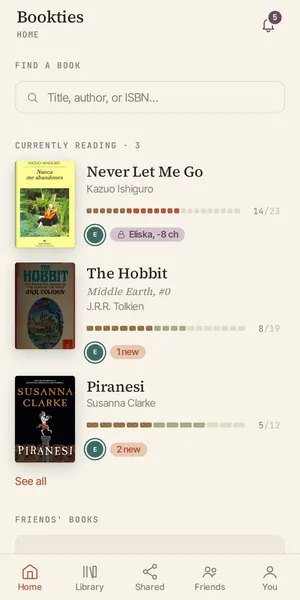
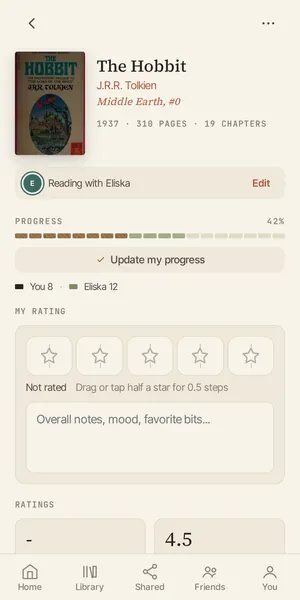
Each of you reads at your own pace. Bookties tracks where everyone is, chapter by chapter.
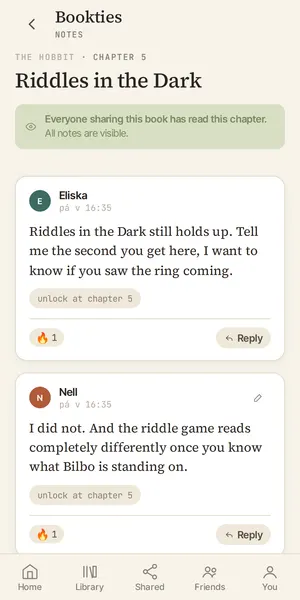
Leave a note on the chapter you just finished. It stays sealed until your friend gets there.
Move your progress marker and their notes open up, in the order they were meant to be read.
Read a book alongside a friend in another city, or on another schedule, and still talk about every chapter.
Share the month's pick with the group. Fast readers can write freely and nobody arrives at the meeting spoiled.
Same book on the nightstand, different bedtimes. Leave notes for each other instead of waiting to compare.
Walk a friend through a series you love, leaving notes for them to find when they get to the good part.
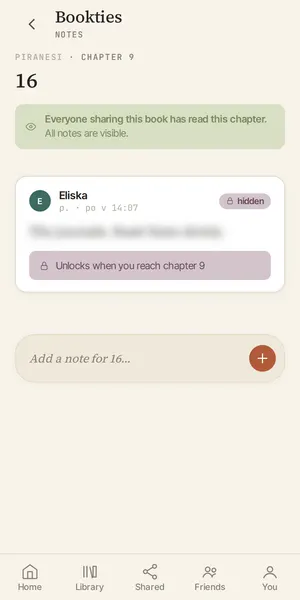
Unlocking is enforced on the server, not hidden in the interface. A note you have not reached is not in the page you are given.
Shared books, want-to-read lists and friend progress in one place, so you always know what to start next.
See the whole book at a glance: where you are, where your friends are, and which chapters hold unread notes.
Series data from Hardcover keeps multi-book runs sorted, with the next volume one tap away.
Notes are a conversation. Reply in the margin once you both cleared the chapter it belongs to.
Export or delete your account and everything in it, whenever you want. No ads, no tracking of what you read.
A buddy read is two or more people reading the same book at the same time and talking about it as they go. The catch is pace: someone is always ahead. Bookties keeps every note behind the chapter it was written on, so whoever is ahead can write freely.
Each note is tied to a chapter. The server only sends you notes for chapters you have reached, so a sealed note is not on your screen at all, blurred or otherwise. Move your progress forward and the notes for that chapter unlock.
Yes, it works well for small groups of friends. Share the book with each member. Everyone reads at their own pace, the heatmap shows where each person is, and notes open up for each reader as they catch up.
Yes. Bookties is free to use, has no ads, and does not track what you read.
In any browser at bookties.app and in the Android app on Google Play. An iPhone app is on its way. Your account and notes are the same everywhere.
Search by title, author or ISBN. Book data and covers come from Hardcover and Open Library, and you can set the chapter count yourself for any edition.
Yes. You can export everything or delete your account and all of its data from the settings screen at any time.
That is the whole product. Add a book, share it, and write the note you would otherwise have to keep to yourself.